CUVEL / MARKDOWN
A Markdown editor with a clearer way to read.
Notes, instructions and explanations of code belong together. Cuvel is a text and code editor for Windows and Linux that lets you write Markdown, organize it with headings and switch to a readable preview.
DownloadWindows 10 / 11 · Ubuntu 22.04+ · Linux AppImage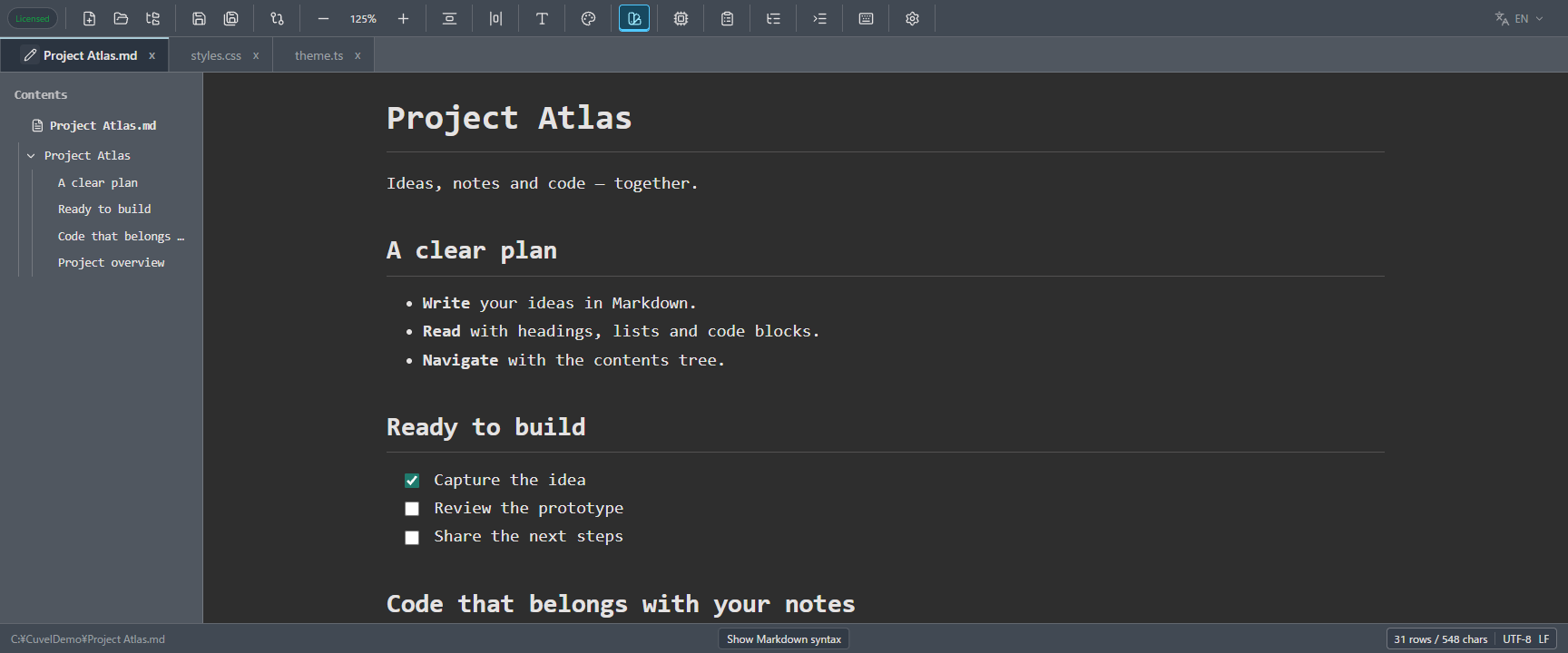
From quick notes to technical documents, in a .md file.
Markdown is a plain-text format that uses simple markers such as # and list bullets. With Cuvel, the app you use for code can also hold notes, README files, instructions and study material. The preview turns those markers into readable formatting.
- Organize ideas with headings and lists
- Write README files and technical notes with code and tables
- Work through instructions and reviews with task lists
Open to read. Use the pen to edit, the book to preview.
Open a .md file
Markdown files open in preview mode, with headings, tables and code formatted for reading.
Choose the pen
Click the pen to the left of the file name on the tab to edit the Markdown source, including its formatting markers.
Return with the book
In editing mode the same button shows a book. Click it to preview your changes. Save the file with the usual save command.
Find the right heading in a long document.
The contents tree lists headings in their hierarchy on the left. If the folder tree is open, the contents tree sits to its right. Click a heading to move to that part of the document.
- Fold child headings to focus on the sections you need.
- Drag the right edge of the contents tree to resize it.
- Choose whether headings expand automatically when the preview opens. The file name stays visible at the top and cannot be collapsed.
Read explanations, code and tables together.
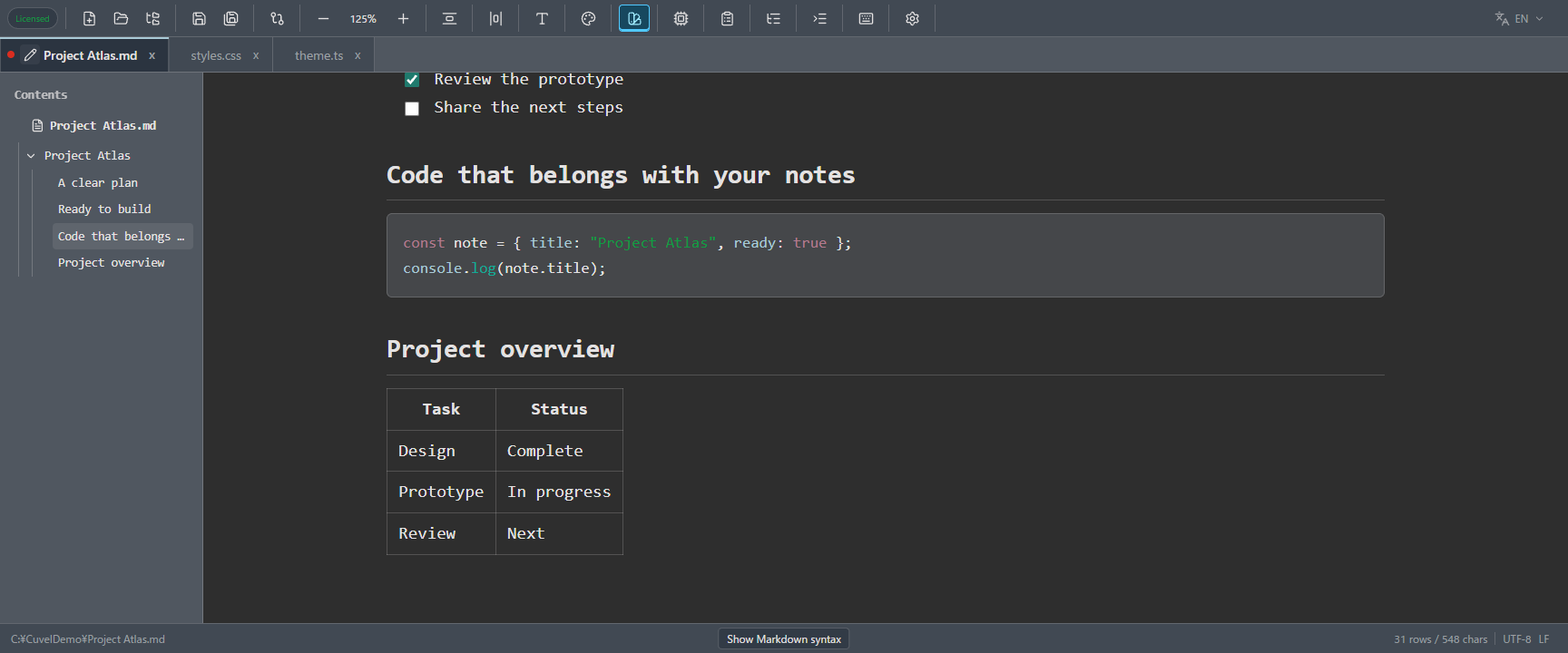
Wrap code in three backticks to display a code block. Add a supported language name, such as go or javascript, after the opening backticks for syntax highlighting. Keep command notes and implementation examples beside their explanations.
Familiar Markdown, with useful extensions.
- Headings, lists and quotes
- Use heading levels one to six, ordered and unordered lists, blockquotes, emphasis and strikethrough.
- Tables and code blocks
- Present comparisons, progress tables and code examples with a language name.
- Footnotes and definitions
- Add footnotes to the text or pair a term with its explanation.
- Math and text formatting
- Render formulas with KaTeX, highlight text and use superscript or subscript.
- Links and navigation
- Follow heading links within the document and open http or https links in your browser.
Tick off tasks directly in the preview.
Write - [ ] for an incomplete item and - [x] for a completed one. Clicking a checkbox in the preview also updates its marker in the Markdown source. Follow a procedure or review a checklist while reading.
Checkbox changes are unsaved edits until you save the file. Normal saving and Undo/Redo are supported. Example checkboxes in the built-in syntax guide are read-only.
- [ ] Review the prototype
- [x] Capture the idea
- [ ] Share the next steps
Give Markdown its own reading settings.
While a Markdown preview is open, the syntax-color button in the header opens dedicated preview settings. These are saved independently from the ordinary code editor theme.
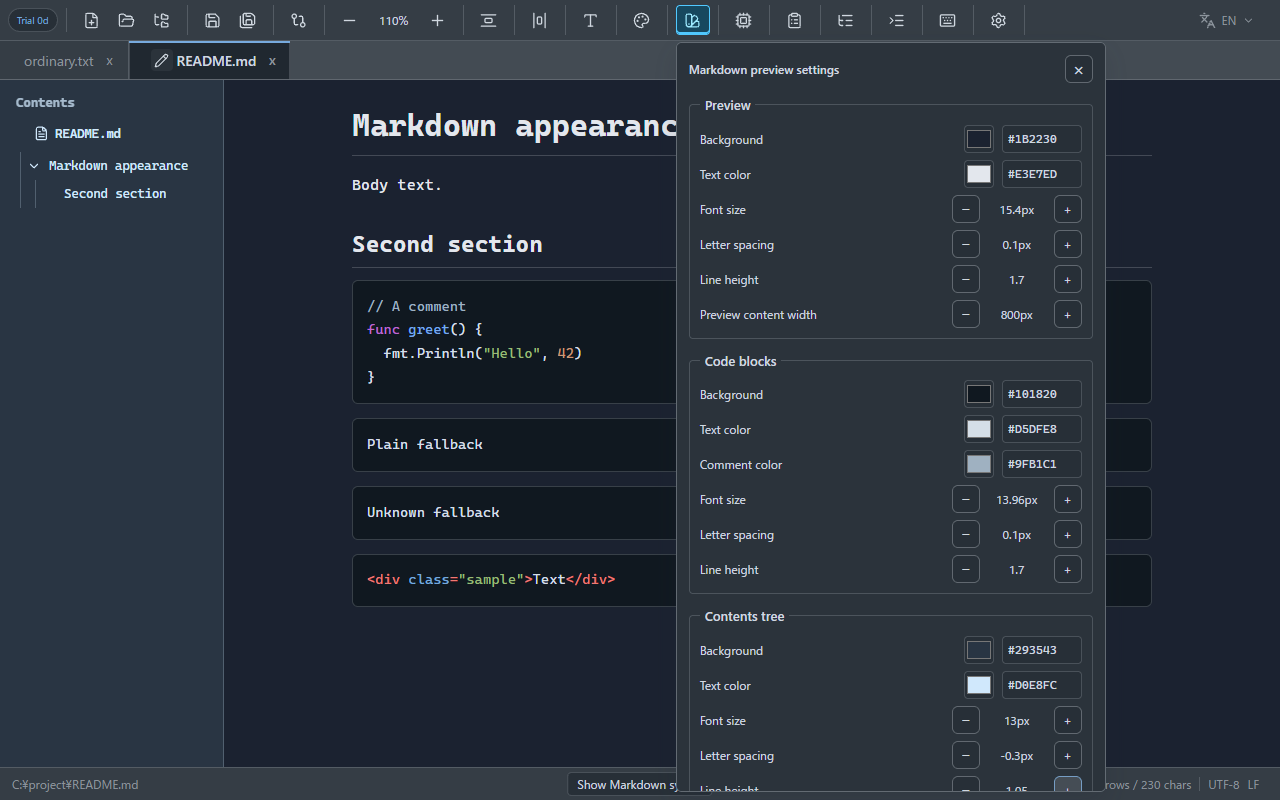
- Preview: background, text color, font size, letter spacing, line height and content width
- Code blocks: background, text and comment colors, font size, letter spacing and line height; language highlighting takes priority where applied
- Contents tree: background, text color, font size, letter spacing, line height and automatic expansion
Find examples in the built-in syntax guide.
With a .md file open, choose Show Markdown syntax at the bottom of the app. A separate tab opens in preview mode with writing examples and their rendered results.
Markdown questions
Do I need LSP for the Markdown preview?
No. Markdown editing, preview, the contents tree and task lists work without installing language tools.
Are checkbox changes saved in my file?
The Markdown source is updated as an unsaved edit. Use the normal save command to store the checkbox state in the file. Undo and Redo are supported.
Do Markdown settings change my code editor theme?
Preview colors, sizes and spacing are saved separately. The app-wide font setting is shared with Markdown body text, headings, code and the contents tree.
Does Cuvel support every Markdown extension?
Cuvel supports basic Markdown plus tables, task lists, footnotes, definitions, math and other formatting. It does not support every custom extension. HTML tags are displayed as text rather than executed.
Make your next note a Markdown note.
Download Cuvel for Windows or Linux and try editing and previewing a .md file.
DownloadCuvel Home